
The encounter
A familiar face in a world that has changed. One of you has turned.
A LITTLE DARKNESS. A LOT OF LOVE.
Turn two consenting adults’ portraits into an approximately 15-second vertical zombie love story: a haunting encounter, a brave embrace, and a warm fictional memory.
About 15 seconds · Portrait · 720p · MP4
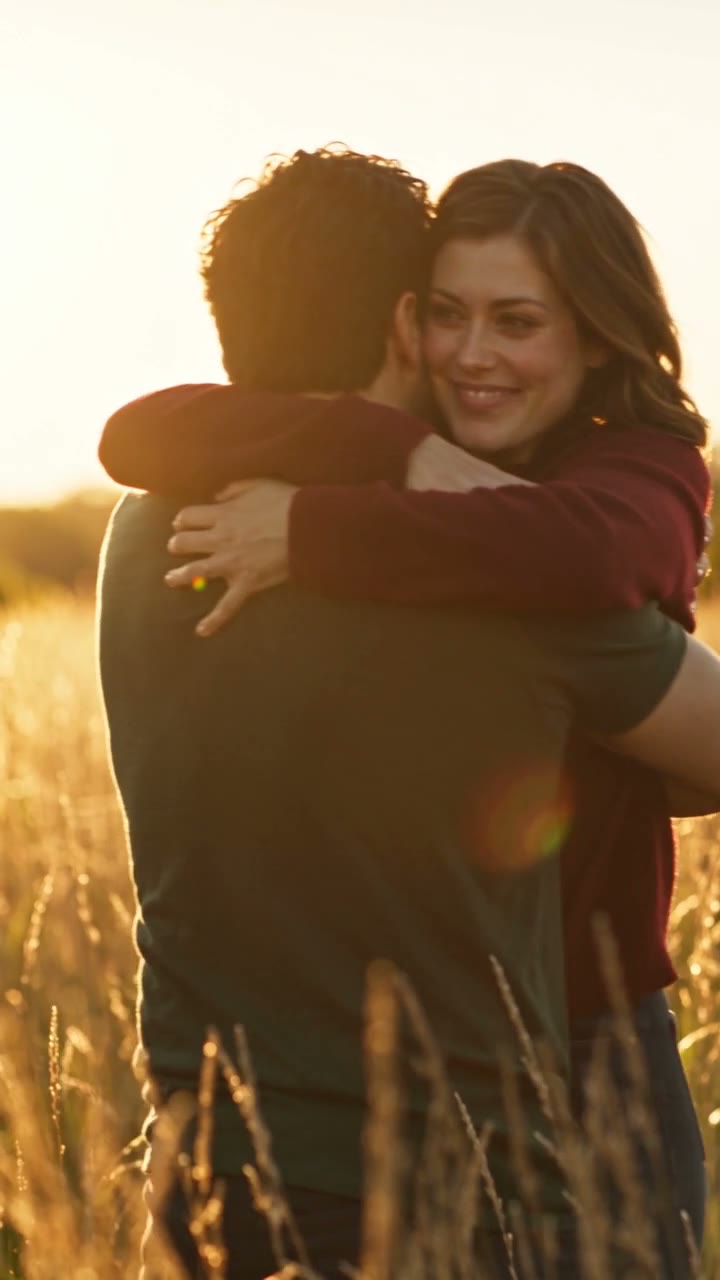
A real test film, made from two original portraits of fictional adults.
Original fictional adult references · About 15 seconds · 720p · Sound · MP4 · Open the public sample MP4
CAST YOUR STORY
Choose who stays human and who turns. Clear, front-facing portraits work best.
US$6.99 per story · 1 creation credit · No subscription
Your photos stay on this device until you submit. Sign in to check availability and your creation credits.
THE STORY
The story is built around a single moment of recognition.
A familiar face in a world that has changed. One of you has turned.
Fear gives way to recognition. You open your arms, and they come closer.
The embrace cuts into golden light, where you are both yourselves again.
ZombieLove AI is a photo-to-video tool for a fictional story about two adults. A survivor recognizes an infected loved one, chooses an embrace, and the scene connects to a warm memory. This is the kind of short film people describe as a zombie couple video, an AI zombie trend video or a zombie hug. Those names describe the story, rather than a promise to reproduce a particular social-media post.
The emotional change is the point: fear becomes recognition, then a hug connects a cold encounter with a warmer memory. A single-photo zombie filter mainly changes the appearance of a face. This workflow asks AI to create a new moving scene with two people, their reactions and an embrace. The exact shots, pace and transition can vary. It is an independent interpretation of the format, not an official template from a social platform or a frame-for-frame copy of its most popular video.
Choose two separate portraits, with one clear adult face in each. The first photo is the survivor; the second is the loved one who turns. You can swap those roles before creating. A girlfriend, boyfriend, spouse or another consenting adult can play either role; the role comes from the photo position, not an automatic gender decision. Use front-facing faces with clear lighting and little obstruction. JPG, PNG and WebP files are accepted up to 4 MB each, with a minimum size of 300 × 300 pixels. A shared couple photo is not the two separate portraits this form requires.
Your two photos provide appearance references for the separate characters. They help guide faces, hair and roles, but they do not guarantee exact likeness in every frame. AI can change facial details, hands, body movement or clothing, especially during an embrace and a scene change. The public example uses original fictional adults, and your result can differ. Watch the complete example before deciding, then inspect both characters and the contact between their arms in your own delivered video before sharing it.
The creation form prepares the story direction from your selected roles and the fixed cabin-to-memory story. You supply the two authorized portraits rather than uploading someone else’s trend video. The intended output is one approximately 15-second portrait MP4, so the core workflow does not require you to assemble separate shots in an editor. A free prompt guide explains the character assignments and cold-to-warm transition if you want to understand or adapt the idea elsewhere. A prompt describes the intended story; it is not proof that every requested action will appear exactly as written.
Read the resolution shown beside the current sample and creation form, and play the sample with sound on. Generated audio can include atmosphere, breathing, footsteps or music, depending on the active workflow. It does not include a guaranteed viral song, recognizable singer or spoken dialogue. The scene change and musical timing can also vary. Review the sound as well as the picture before posting. You receive the generated MP4 rather than an editing project, and you can add your own authorized soundtrack in a separate editor if you prefer.
The listed single purchase is US$6.99 for one creation credit, and one story uses one credit. It is a one-time purchase, with no subscription and no free generation; viewing the example and reading the prompt guide are free. Check the final amount and any applicable taxes in Checkout before paying. If generation fails, the creation credit is returned automatically, which is different from an automatic cash refund. Other refund requests go to support. Sign in to buy a creation credit and create your story. Your draft stays available when you return from Checkout; generation begins only when you submit it.
Use the same signed-in account to return to My videos and check the story status. A pending story can continue processing while you are away. Once the private copy is saved, you can play it and download its MP4 for 30 days after saving. Download it before that period ends; a previously downloaded file remains on your device. Your private history is separate from the public example, and the sample is not a preview of a video created from your own photos. Signing into a different account does not move the original account’s stories into it.
Only upload photos you have permission to use, and make sure both people are adults aged 18 or over who agreed to appear. The form asks you to confirm that permission before submission. Uploaded portraits are scheduled for deletion after three days, while completed private videos have the separate 30-day saving period. These are different retention windows, so download a finished story in time. Read the Privacy Policy and Terms for the handling of uploads and account data. For access, delivery or refund questions, contact support@zombieloveai.com without posting your private portraits publicly.
Choose the two portraits and check your accountCheck the single-purchase price and availability
It is a photo-to-video story about recognizing someone you love in a changed world. A tense encounter becomes an embrace, which connects to a warm memory.
Use two separate, clear portraits, one adult in each. Photo one stays human; photo two turns. You can swap the roles before creating.
AI can change faces, hands, and motion. Reference photos help, but exact likeness and frame-perfect cuts are not guaranteed. Review the real sample before deciding.
Yes. Sign in, upload two separate authorized adult portraits, and use one creation credit to generate an approximately 15-second 720p portrait MP4 with generated sound. One credit costs US$6.99, with no subscription. Review the sample before purchasing.
One story costs US$6.99 and uses one creation credit. There is no subscription or free generation. The guide and example are free. A failed generation returns the creation credit automatically; that is not an automatic cash refund. Contact support for other refund requests.
A completed story can be played and downloaded as an MP4 from My videos for 30 days after it is saved. Download it during that time. Uploaded portraits are scheduled for deletion after 3 days. AI may generate background sound; dialogue and music are not guaranteed.